Openstack RC File
Openstack RC File (also referred to as “openrc” file) is a helper script that helps you setup the necessary environment variables to use with Openstack CLI or Terraform.
Openstack GUIs like Horizon and Skyline both offer the ability to download a personalized RC file for your user/project.
To do that, first login to Skyline or Horizon with your credentials.
Skyline
In the top right of the screen click on your username, and select “Get OpenRC File”
Pick the “Password type”
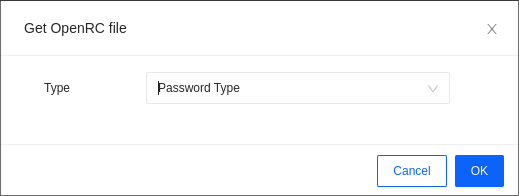
After clicking “OK” should start downloading a file name “openrc.sh”
Horizon
In the top right of the screen click on your username, and select “Openstack RC File”
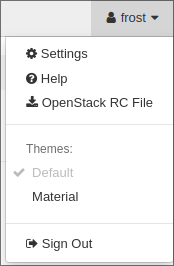
It should start downloading a file name “<username>-openrc.sh”
Usage
Whether you download the RC File through Skyline or Horizon, usage is the same:
source /path/to/rc/file
It will prompt you for your user password (the same one you used to login to Horizon/Skyline) and after entering it’ll save all the variables as environment ones.
You can verify using the export command and look for variables that have OS_ as the prefix.
Now you’re ready to execute some Openstack CLI commands, for example: openstack image list
If you get errors like “HTTP 401”, it usually means your credentials are incorrect. Run the source script again and re-enter your password.
If the error is “HTTP 403”, this means you don’t have access to resource, so make sure you’re allowed to run the command that you are running.